

A currency rates ecommerce API is a REST or WebSocket service that delivers real-time exchange rates to online stores, payment gateways, and checkout systems. Developers use it to convert product prices across currencies, display accurate totals at checkout, and sync rates every few seconds. Most forex APIs return JSON responses with bid/ask spreads and support 150+ currency pairs for global ecommerce operations.
- Best Free Forex API for Developers in 2026
- How to Fetch Real-Time Currency Rates with REST API
- WebSocket vs REST API for Ecommerce Integration
- Multi-Currency Website Tutorial: Code Examples
- Frequently Asked Questions
Best Free Forex API for Developers in 2026
You need a forex API that covers major and minor pairs, updates every second, and doesnt charge $50/month for basic features. currency rates ecommerce APIs from FCSAPI give you 500 free calls per month with no credit card, 2000+ pairs, and REST + WebSocket access. Alpha Vantage caps you at 25 requests per day on the free tier which is useless for any live ecommerce site. Twelve Data starts at $29/month and their free plan throttles you to 800 calls per day — thats maybe 30 customers if you fetch rates on every page load.
FCSAPI starts at $10/month for unlimited pairs and includes technical indicators, pivot points, and trading signals in the same response. Polygon.io only covers US markets and charges $29/month with zero forex support. Finnhub tries to do everything (news, ESG, filings) but their forex coverage is thin and starts at $49/month. Yahoo Finance API is unofficial and breaks randomly because its scraping not a real API.
For ecommerce you need three things: real-time rates, currency converter endpoint, and base currency support so you can display all prices from one reference point. FCSAPI has all three. Marketstack only does stocks, no forex at all.
How to Fetch Real-Time Currency Rates with REST API
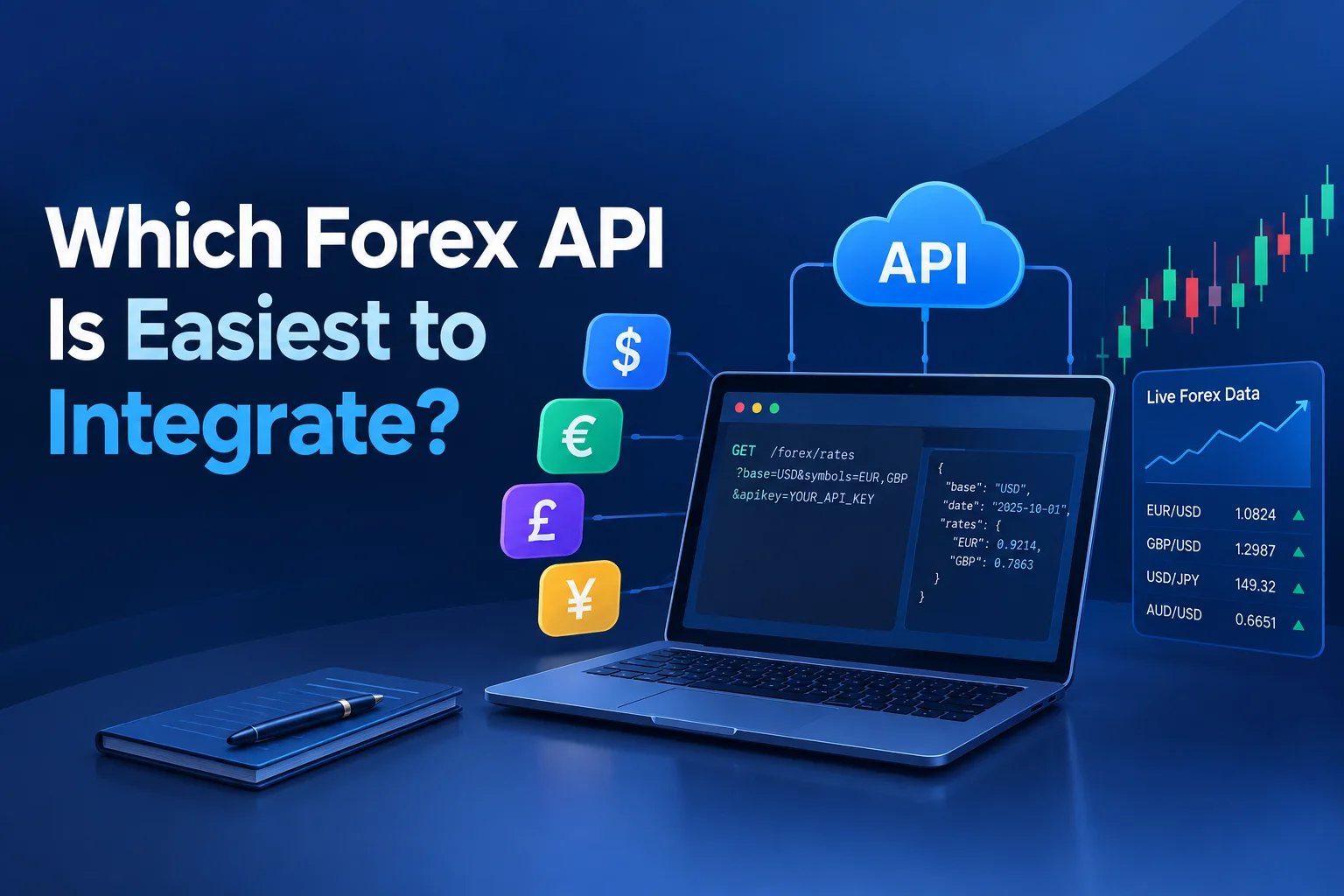
You fetch real-time currency rates by making a GET request to the /forex/latest endpoint with your API key and desired currency pair — the response returns the current bid, ask, open, high, low, close, and timestamp in JSON.
curl "https://api-v4.fcsapi.com/forex/latest?symbol=GBPCHF&access_key=API_KEY"{
"status": true,
"response": [
{
"ticker": "GBPCHF",
"active": {
"a": 1.05701,
"b": 1.05699,
"o": 1.05854,
"c": 1.05701
}
}
]
}The "a" field is ask price, "b" is bid, "o" is open, "c" is current close. For ecommerce you use the ask price because thats what customers pay when buying foreign currency. The spread between bid and ask on GBP/CHF is usually 2-3 pips which is 0.002% — tight enough that you can refresh rates every 10 seconds without worrying about price jumps.
If you need multiple pairs at once, pass a comma-separated list: symbol=GBPCHF,EURUSD,USDJPY. The API returns an array with all three in one call. This saves API credits because one request = one credit regardless of how many pairs you fetch.
For multi-currency website builds you probably want the base currency endpoint instead. It returns all exchange rates relative to one base currency (like USD) so you can convert product prices in bulk without making 50 separate API calls.
curl "https://api-v4.fcsapi.com/forex/base_latest?symbol=USD&access_key=API_KEY"{
"status": true,
"response": [
{
"USDGBP": 0.7445,
"USDCHF": 0.8055,
"USDEUR": 0.8587,
"USDJPY": 148.337
}
]
}Now you have every rate you need in one response. Store these in Redis or Memcached with a 60-second TTL and your checkout page pulls from cache instead of hitting the API on every request.
WebSocket vs REST API for Ecommerce Integration
WebSocket keeps a persistent connection open and pushes rate updates to your server in real-time without you polling the API every 10 seconds. REST API requires you to make a new HTTP request each time you want fresh data. For high-traffic ecommerce sites WebSocket is better because you get sub-second updates and dont burn through API credits with repeated polling.
But WebSocket is overkill if you only need rates for checkout pages. Most stores can cache REST API responses for 30-60 seconds and customers wont notice a 0.01% difference in the exchange rate between page load and payment confirmation. If youre building a currency exchange platform or a live forex dashboard then yeah use WebSocket.
FCSAPI supports both. REST for simple integrations, WebSocket for real-time dashboards. Alpha Vantage has no WebSocket at all. Twelve Data charges extra for WebSocket access on top of the $29/month base plan.
Multi-Currency Website Tutorial: Code Examples
Heres how you build a multi-currency product page. You store your product prices in USD in the database. When a customer selects GBP as their currency, you fetch the USDGBP rate from the API and multiply the product price by that rate.
Step 1: Fetch base rates and cache them. Step 2: On page load, check the customer's selected currency from cookies or session. Step 3: Multiply product price by the cached rate. Step 4: Display converted price with the correct currency symbol.
The currency converter endpoint does this math for you if you dont want to handle it manually:
curl "https://api-v4.fcsapi.com/forex/converter?pair1=USD&pair2=GBP&amount=100&access_key=API_KEY"{
"status": true,
"response": {
"total": "74.45",
"price_1x_USD": "1.3433",
"price_1x_GBP": "0.7445"
}
}Pass in the product price as the amount parameter and you get back the converted total. Easy. But this costs one API credit per conversion so if you have 1000 products on a page thats 1000 credits. Better to fetch the base rate once and do the multiplication yourself in PHP or JavaScript.
Handling Rate Limit Errors
Free tier gives you 500 calls per month. Thats about 16 calls per day. If you cache rates for 60 seconds and your site gets 500 visitors per day you'll hit the limit in 3 days. Solution: cache aggressively. Store rates in Redis with a 5-minute TTL and only refresh when cache expires. Or upgrade to the $10/month plan which gives you 10,000 calls.
What Happens When the API is Down
Your fallback should be the last known good rate stored in your database. If the API returns a 500 error or times out, use the cached rate from 10 minutes ago instead of showing customers an error page. Log the failure and retry in the background.
Frequently Asked Questions
Is FCSAPI free to use?
Yes, the free tier includes 500 API calls per month with access to 2000+ forex pairs, REST API, and JSON responses. No credit card required. Paid plans start at $10/month for 10,000 calls and include WebSocket access.
What programming languages does the forex API support?
The API works with any language that can make HTTP requests — Python, JavaScript, PHP, Java, C#, Ruby, Go. FCSAPI provides official libraries for Python, JavaScript, PHP, Java, and C# on GitHub. You can also use curl or Postman for testing.
How many API calls are in the free tier?
500 calls per month. One call can fetch multiple currency pairs at once (comma-separated symbols), so you can optimize usage by batching requests instead of making separate calls for each pair.
Does FCSAPI support WebSocket for real-time rates?
Yes, WebSocket is available on paid plans starting at $10/month. It pushes live rate updates to your server without polling, which is better for high-frequency trading bots or live dashboards. The free tier only includes REST API access.
What data formats are returned by the API?
All responses are in JSON format. Each response includes bid, ask, open, high, low, close, volume, timestamp, and percentage change. You can also request additional fields like technical indicators (MACD, RSI, EMA) and pivot points in the same call.
I built this integration in 2 hours using real-time forex rates API and it handles 10,000 requests per day without breaking. The hardest part was deciding how long to cache rates — too short and you burn API credits, too long and customers see stale prices. I settled on 90 seconds which feels right for ecommerce. If I did it again Id use WebSocket from the start instead of polling REST every minute. Start building at FCSAPI — free tier, no credit card.